
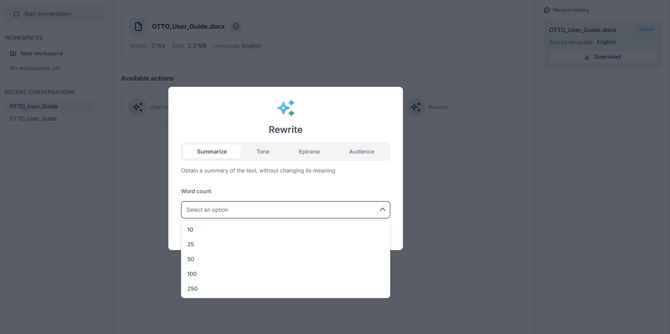
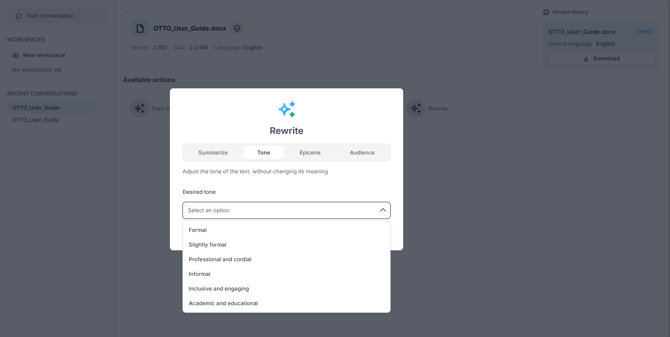
Start the Rewrite action. A window opens with four tabs:
| Tab | What it does |
|---|---|
| Summarize | Shortens the text to a chosen length |
| Tone | Adjusts the tone (formal, informal, and more) |
| Epicene | Makes the text gender-neutral (inclusive writing) |
| Audience | Adapts the text to a specific reader |
Choose a tab, select an option, and run the rewrite. Each result appears as a card in the conversation showing the option used, with a Download button, and is added to the Version history with a Rewrite tag.
The tabs and options shown depend on what has been enabled for your account. If an option does not appear, it has not been made available for your organization.