
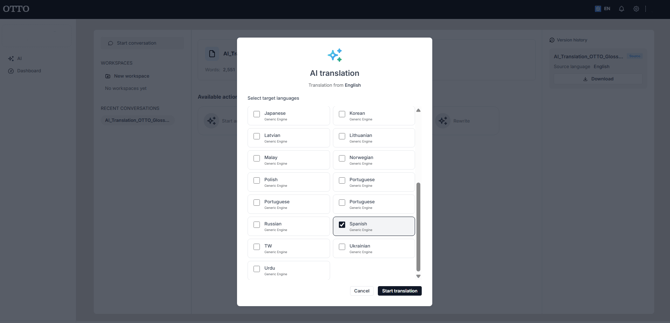
- Choose AI translation.
- In the "Translation from [source] to [target]" panel, select the target language.
- Run the translation.
The translation result appears as a card showing the target language and the engine used (for example, "Generic Engine"), with a Download button. The "Translation" header also shows how many languages were produced (e.g. "1 language").
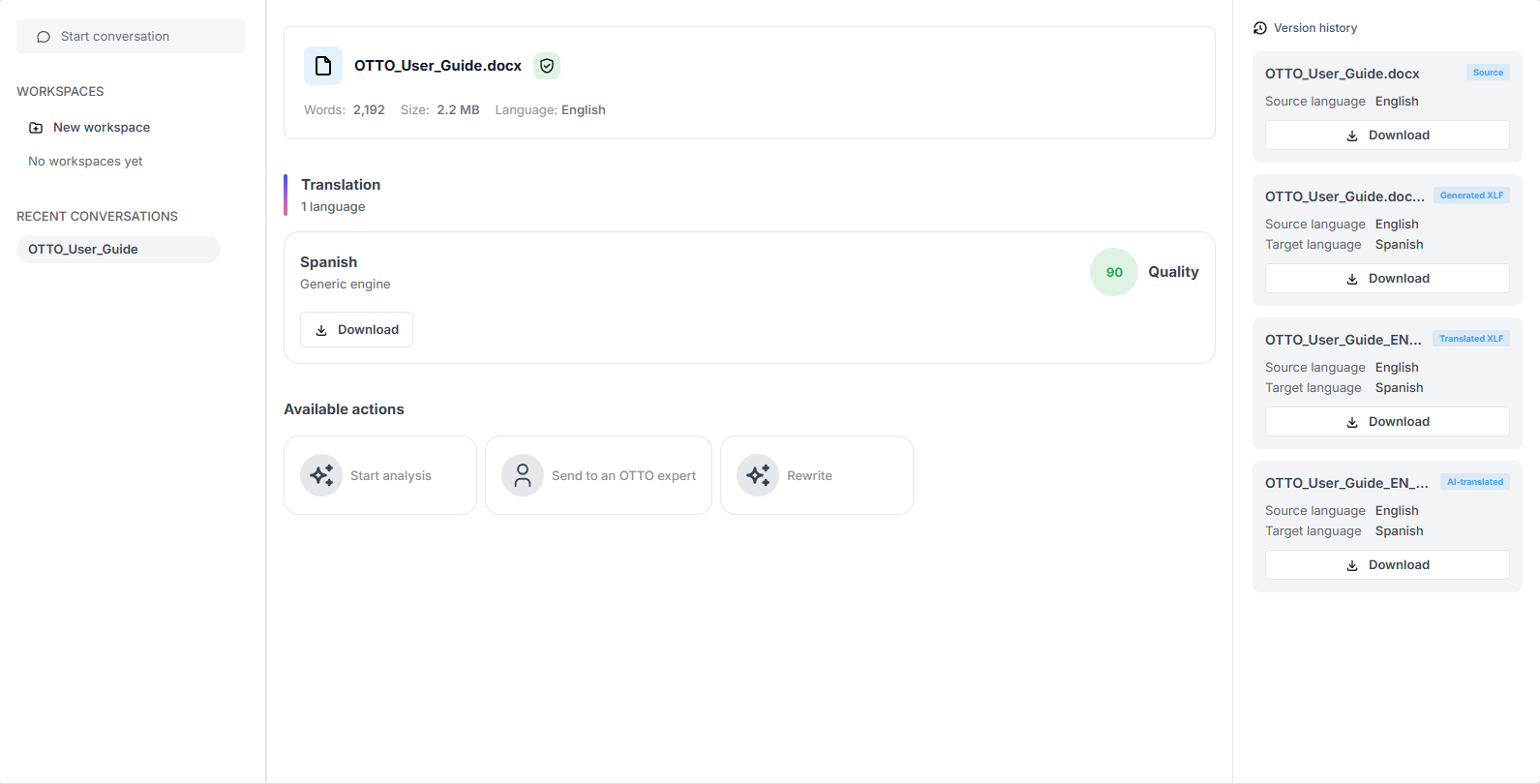
The translated file is added to the Version history, tagged AI-translated (and a Translated XLF is also produced).