
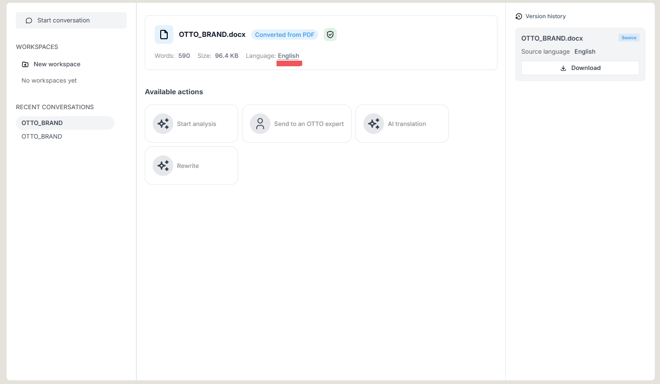
After upload, OTTO shows the detected source language in the document details. If it is wrong:
- Open the language field on the document.
- Select the correct source language.
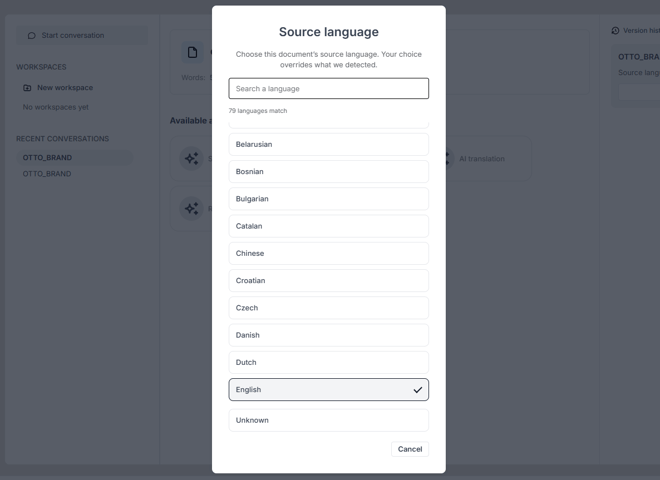
From that point on, every action (analysis, translation, rewriting) uses the language you chose rather than the one that was misdetected. It’s worth correcting this before you translate or rewrite.